
Written by the ProTechMagazine Content Team | Reviewed by Deepu Thakur, Technology Enthusiast, protechmagazine.com | Last updated: October 2026
Quick Answer
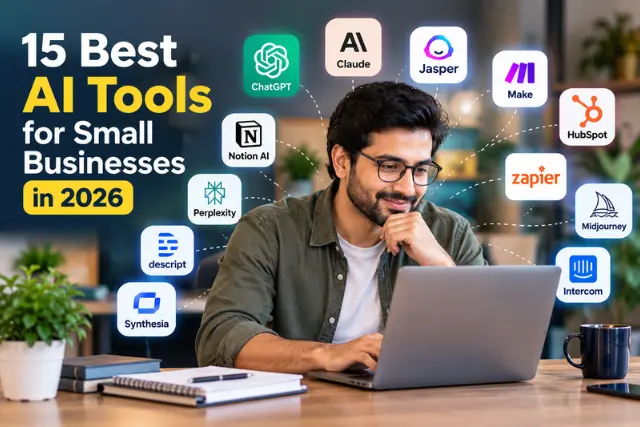
The best AI tools for small businesses in 2026 depend on your business needs, budget, and daily tasks. ChatGPT is useful for general productivity, Claude for long documents and analysis, Jasper for marketing content, Make and Zapier for workflow automation, and HubSpot for CRM and sales management. Tools such as Midjourney, Descript, and Intercom can help with visual content, video editing, and customer support. Start with a tool that solves your biggest business challenge, test its value, and check current pricing before committing to a paid plan.
You’re running a small business. You hear about AI tools constantly. Everyone says you need them. But you’re not sure which ones actually save time versus which ones are just hype.
Here’s the honest truth: more AI tools don’t mean better results. One well-chosen tool that solves a real problem beats ten mediocre subscriptions draining your budget.
The best AI for a small business should solve a very particular task, automating tedious repetitive tasks, speeding up content creation, managing customer interactions, analysing data or boosting marketing. Understanding how artificial intelligence supports problem-solving can also help business owners identify tasks where AI may deliver practical value. Choosing between tools depends on your real business task, price range, workforce and what you currently have.
So why don’t I walk you through 15 best AI tools options: how they work, for whom they are worth trying or who might want to skip them.
Best AI Tools for Small Businesses at a Glance
| Tool | Best For | Ideal Business |
| ChatGPT | General productivity | Almost any business |
| Claude | Analysis and documents | Consultants, researchers |
| Jasper | Marketing content | Marketing teams |
| Make | Workflow automation | Growing businesses |
| HubSpot | CRM and sales | Service businesses |
| Zapier | Simple automation | Beginners |
| Perplexity | Research | Research-heavy businesses |
| Midjourney | Images | Creative businesses |
| Jotform | Forms and lead capture | Lead generation |
| QuillBot | Editing and rewriting | Content-focused teams |
| Copy.ai | Sales copy | Marketers |
| Synthesia | AI video | Training/education |
| Descript | Video and audio editing | Content businesses |
| Notion AI | Knowledge management | Teams using Notion |
| Intercom | Customer support | Service/SaaS businesses |
Note that pricing varies all the time – be sure to check the current pricing details directly on each website before subscribing!
How We Selected These AI Tools
We’ve ranked them on whatever a business told potential buyers they are good for, pricing, integrations with other business products, how to actually use it, what problems it might solve for a small biz and product data readily published by their makers.
Simply put, we asked: would this actually fix a problem for a business and does it make business sense to actually use it over adding another ‘ai feature’ to your business process? The products in this list have one thing in common, they will fix a real issue impacting businesses: actual issues..
The 15 Best AI Tools for Small Businesses in 2026
1. ChatGPT – Best for General Productivity
Best for: Research, writing, brainstorming, content drafts, problem-solving.
What it does: General-purpose AI assistant that answers questions, creates content, solves problems, and helps with almost any knowledge work task.
Why do small business owners consider it: It’s the fastest way to get from “I need to write something” to “here’s a draft I can edit.” ChatGPT can help create a first draft quickly, reducing the time spent starting from a blank page. Works for customer questions, employee training, competitor research, and content planning.
Real limitations: Outputs need human review. It sometimes gets facts wrong. It won’t reduce your workload unless you use it consistently. Requires thinking about how to phrase requests.
Who should skip it: Businesses that only need a single automated workflow and don’t need a general-purpose AI assistant.
Pricing: Free plan available. Paid individual and business plans are available, with features and limits varying by plan. Check OpenAI’s current pricing before purchasing.
Our verdict: Worth it for almost every small business. Start with the free version. Upgrade if you use it multiple times daily.
2. Claude – Best for Analysis and Long Documents
Best for: Long-form writing, detailed analysis, working with large documents, complex problem-solving.
What it does: AI assistant designed for detailed, well-structured responses. Handles large amounts of text in a single conversation.
Why small business owners consider it: Claude can be particularly useful for long documents, detailed analysis, writing, and tasks where maintaining context across a large amount of material matters. Useful for consulting work, research, and strategic planning.
Real limitations: Slightly slower for quick tasks. Fewer online tutorials than more mainstream tools. Requires clear prompts for best results.
Who should skip it: Businesses that mostly need short, quick outputs rather than detailed analysis of large documents.
Pricing: Free plan available. Paid individual and team plans offer higher usage limits. Check Anthropic’s current pricing before purchasing.
Our verdict: Consider it if your work involves deep analysis or long documents. Most solopreneurs can start with a general assistant.
3. Jasper – Best for Marketing Content at Scale
Best for: Blog posts, social media content, email campaigns, ads, marketing copy.
What it does: AI writing platform built for marketing teams. Creates marketing copy, blog content, social posts, and advertising content.
Why small business owners consider it: Faster than writing every social media post and email yourself. If you’re managing content across multiple platforms, it saves hours. Brand voice features help maintain consistency. Businesses planning a wider content strategy can also learn how digital marketing agencies create content and how content production fits into their marketing activities.
Real limitations: Output quality varies with prompt quality. Template-dependent workflow can feel limiting. Requires human editing for anything you publish. Monthly cost adds up if you don’t publish consistently.
Who should skip it: Businesses that publish content occasionally rather than regularly. A general AI assistant may be enough.
Pricing: Paid plans vary by usage and features. Check Jasper’s current pricing before subscribing.
Our verdict: Worth it if you create marketing content regularly. Not worth it if you post sporadically.
4. Make – Best for Workflow Automation
Best for: Automating business processes and connecting apps to work together.
What it does: No-code automation platform. Connects different apps so they automatically communicate and trigger actions.
Why small business owners consider it: Set up a workflow once, then it runs automatically. A lead entering your website form can automatically get added to your CRM, tagged correctly, and trigger a notification. Visual builder means no coding required.
Real limitations: The learning curve is real. Requires thinking through workflows before building them. Mistakes in automation can cause problems if not tested. Complex workflows take time to configure.
Who should skip it: Very small operations with no repetitive processes worth automating yet.
Pricing: Free plan available. Paid plans vary by usage and features. Check Make’s current pricing before subscribing.
Our verdict: Powerful but requires upfront time investment. Start with one workflow to test, then expand.
5. HubSpot – Best for CRM and Sales
Best for: Managing leads, customers, sales, and customer service in one place.
What it does: CRM platform with a free tier that includes lead management, contact database, email tracking, and basic automation.
Why small business owners consider it: Centralizes customer information. Reduces time checking email to see who replied. AI features help score leads and predict which prospects are most likely to convert.
Real limitations: Free version has feature limits. Paid versions add up in cost. Interface can feel overwhelming at first. Setup takes time.
Who should skip it: Solopreneurs with very few contacts who can manage leads in a simple spreadsheet.
Pricing: Free CRM tier available. Paid tiers vary by features and users. Check HubSpot’s current pricing before subscribing.
Our verdict: Start with the free version. See if you actually use it before upgrading.
6. Zapier – Best for Simple Automation
Best for: Connecting popular apps and automating simple workflows.
What it does: Connects thousands of apps so they automate together, using a simple trigger-and-action setup.
Why small business owners consider it: Easier than Make for beginners. If you just need “when X happens in app A, create Y in app B,” Zapier is simpler. Most common small business automations work easily.
Real limitations: More limited than Make for complex workflows. Costs add up with multiple automations. Some integrations are basic.
Who should skip it: Businesses needing complex, multi-step conditional workflows may prefer Make.
Pricing: Free plan available. Paid plans vary by usage. Check Zapier’s current pricing before subscribing.
Our verdict: Start here if you’re new to automation. Easier learning curve than most alternatives.
7. Perplexity – Best for Research
Best for: Getting current information, researching topics, finding sources.
What it does: AI search tool. Instead of browsing multiple websites, you ask a question and get answers with cited sources.
Why small business owners consider it: Saves time researching. No hunting through multiple websites. Citations show where information came from. Good for competitive research, market research, and industry updates.
Real limitations: Designed for research, not creative brainstorming. Quality depends on how you phrase questions.
Who should skip it: Businesses that rarely need to research external information.
Pricing: Free plan available. Paid plan offers higher usage. Check Perplexity’s current pricing before subscribing.
Our verdict: Great for research-heavy work. Consider it if you spend time hunting for information.
8. Midjourney – Best for Visual Content
Best for: Generating images, visual concepts, design mockups, illustrations.
What it does: AI image generator. You describe what you want, it creates original images.
Why small business owners consider it: Faster than commissioning a designer for each concept. No generic stock-photo feeling. Create blog graphics, social media images, product mockups, and presentation visuals.
Real limitations: Prompting style matters and takes practice. Generated images sometimes have odd details. Text in images often looks wrong.
Who should skip it: Businesses needing only occasional images, where stock photos are cheaper and faster.
Commercial use: Check Midjourney’s current terms and your subscription level before using generated images commercially.
Pricing: Paid subscriptions vary by usage. Check Midjourney’s current pricing before subscribing.
Our verdict: Worth it if you need custom visuals regularly. Skip it for occasional needs.
9. Jotform – Best for AI-Powered Forms and Lead Capture
Best for: Creating surveys, contact forms, application forms, feedback collection.
What it does: No-code form builder with AI features. Creates professional forms that connect to your CRM and other tools.
Why small business owners consider it: Looks professional and gets higher completion rates than basic HTML forms. Automates data collection. AI features help build forms faster and organize responses.
Real limitations: Costs add up with team members and high usage. Fewer customization options than coding from scratch. Some integrations need workarounds.
Who should skip it: Businesses that rarely collect information through forms.
Pricing: Free plan available. Paid plans vary by usage. Check Jotform’s current pricing before subscribing.
Our verdict: Use it if you’re collecting customer information or leads. Worth the investment.
10. QuillBot – Best for Editing and Rewriting
Best for: Paraphrasing, editing, improving tone, checking grammar, condensing text.
What it does: AI writing assistant focused on editing and improving existing content. Small businesses can also explore tools such as Grammarly for writing assistance to improve the clarity, grammar, and tone of their business communications.
Why small business owners consider it: Quick editing without hiring a copyeditor. Improve the tone of communications. Check grammar in emails and documents. Rewrite content in different styles.
Real limitations: Sometimes suggestions make text worse. Not a replacement for professional editing on important materials. Advanced features require the paid version.
Who should skip it: Businesses that already use another AI assistant capable of editing text.
Pricing: Free version available. The paid version adds advanced features. Check QuillBot’s current pricing before subscribing.
Our verdict: Worth the investment if writing is part of your daily work.
11. Copy.ai – Best for Sales and Ad Copy
Best for: Writing sales pages, email copy, ad headlines, product descriptions.
What it does: AI copywriting tool that generates persuasive marketing copy.
Why small business owners consider it: Faster than writing persuasive copy from scratch. Generate multiple versions so you can pick the best. Good for people who don’t naturally write marketing copy.
Real limitations: Output quality depends on input quality. Often needs editing. Templates can feel generic. Doesn’t understand your specific product as well as you do.
Who should skip it: Businesses whose general AI assistant already handles their copywriting needs.
Pricing: Free plan available. Paid plans vary by usage. Check Copy.ai’s current pricing before subscribing.
Our verdict: Consider it if you spend significant time writing sales copy.
12. Synthesia – Best for AI Video Generation
Best for: Creating AI-generated videos, tutorial videos, product demos, training content.
What it does: Creates videos from text. You write a script, it generates a video with an AI avatar speaking your content.
Why small business owners consider it: Create video content without filming yourself or hiring a videographer. Tutorial and training videos that take hours to film can be created faster. Update videos by changing the text.
Real limitations: AI avatars still look somewhat artificial. Takes time to learn the platform. Not broadcast-quality for every use.
Who should skip it: Businesses that need authentic, personal video with real people on camera.
Pricing: Paid plans vary by usage. Check Synthesia’s current pricing before subscribing.
Our verdict: Worth exploring if scalable video content matters to your business.
13. Descript – Best for Video and Audio Editing
Best for: Editing podcasts, videos, transcribing audio, managing multimedia content.
What it does: Transcribes audio to text, then lets you edit video and audio by editing the transcript.
Why small business owners consider it: Podcast and video editing takes hours. Descript simplifies it by letting you edit through the transcript. Remove filler words without hunting through a timeline. Create social media clips easily.
Real limitations: Learning curve. Works better with clean audio. Costs add up for multiple projects.
Who should skip it: Businesses not producing audio or video content.
Pricing: Free plan available. Paid plans vary by usage. Check Descript’s current pricing before subscribing.
Our verdict: Essential if you create audio or video content regularly.
14. Notion AI – Best for Knowledge Management
Best for: Organizing business information, documentation, team knowledge, summarizing content.
What it does: AI features built into the Notion workspace. Helps organize, summarize, and generate content within Notion.
Why small business owners consider it: If your team already uses Notion, the AI features add value. Organize team knowledge, generate documentation, and summarize meeting notes without switching tools.
Real limitations: Requires a Notion subscription. AI features are more limited than standalone AI tools. Most valuable only if you’re already in the Notion ecosystem.
Who should skip it: Businesses that don’t use Notion. Switching platforms just for AI isn’t worth it.
Pricing: Notion AI is available as an add-on to a Notion subscription. Check Notion’s current pricing before subscribing.
Our verdict: Good if you already use Notion. Not a reason to switch platforms.
15. Intercom – Best for Customer Support
Best for: Customer support, messaging, customer engagement, AI chatbots.
What it does: Customer communication platform combining email, chat, and an AI chatbot in one place.
Why small business owners consider it: As you grow, customer questions consume time. Its AI capabilities can handle routine customer questions, allowing human agents to focus on issues that require judgment or intervention.
Real limitations: Costs increase with usage and features. Learning curve. Setting up and training the AI takes time.
Who should skip it: Very small businesses with low support volume that can handle questions manually.
Pricing: Paid plans vary by features and message volume. Check Intercom’s current pricing before subscribing.
Our verdict: Worth it when customer support becomes a time drain. Start with simpler options first.
Which AI Tools Should a Small Business Start With?
Don’t buy everything. Match the tool to your biggest problem:
- Need a general AI assistant? Start with ChatGPT.
- Need research? Perplexity.
- Need long-document analysis? Claude.
- Need marketing content? Jasper.
- Need automation? Make or Zapier.
- Need CRM and sales management? HubSpot.
- Need visual content? Midjourney.
- Need forms and lead capture? Jotform.
- Need video or audio content? Descript.
- Need customer support automation? Intercom.
- Need knowledge management? Notion.
Start with the tool that addresses your biggest bottleneck. Don’t build an AI stack just because a tool is trending. For additional guidance, explore OpenAI’s advice on putting AI to work in small businesses.
What Are Small Business AI Agents?
An AI agent goes beyond generating an answer. Depending on the system, it can use connected tools, follow a workflow, and take actions toward a defined goal.
For small businesses, AI agents can potentially:
Qualify incoming leads. Schedule appointments. Answer routine support questions. Update CRM records. Create reports. Process incoming requests.
The difference from a basic chatbot is action. A chatbot answers a question. An agent can complete a multi-step task.
But there’s an important caveat: agents still need boundaries, permissions, monitoring, and human escalation for important decisions. Don’t hand an AI agent access to sensitive systems without proper controls and oversight. In 2026, agents are useful for well-defined, repetitive tasks, not for judgment-heavy decisions that affect customers or finances.
What Can AI Marketing Automation Do for a Small Business?
AI marketing automation combines automation with AI decision-making. Here’s a simple example of the workflow. Businesses looking to make more informed marketing decisions can also explore search engine marketing intelligence to better understand marketing data and opportunities.
Customer action leads to AI analysis, which triggers automation, which produces a business action.
In practice: A website visitor submits a form. AI qualifies the lead based on their responses. Your CRM records the lead. A personalized follow-up email is sent automatically. Your salesperson receives a notification about high-priority leads.
That entire sequence runs without manual work. For small teams, this means leads get faster follow-up and nobody falls through the cracks.
The cost of AI marketing automation varies widely. It depends on the number of contacts, the tools involved, usage limits, and how many workflows you build. Start with one high-value workflow, measure the results, then expand.
What Are the Best Free AI Tools for Small Businesses?
Several AI-enabled tools offer free tiers that can work for small businesses, including ChatGPT and selected CRM, automation, and productivity platforms. However, free plans often limit usage, integrations, or advanced AI features.
Before choosing based on the free tier, check the restrictions: How many uses per month? Which features are locked? Are integrations included? A free plan that blocks the exact feature you need isn’t actually free for your situation.
How Much Do AI Tools Cost for a Small Business?
The subscription price is only part of the cost. Consider the full picture:
Number of users you need to add. Usage limits on your plan. Additional costs for integrations. Automation volume as you scale. Implementation time to set things up. Ongoing human oversight to review outputs.
A tool that looks cheap monthly can cost more once you add team members and higher usage. Always calculate the total cost for your actual usage, not just the advertised starting price.
How to Choose an AI Tool for Your Small Business?
Use this checklist:
- Does it solve a specific problem you have right now?
- Is it easy enough that your team will actually use it?
- What’s the real total cost for your usage?
- Does it integrate with your existing tools?
- How is your data handled and protected? Businesses should also understand the relationship between cybersecurity and artificial intelligence when evaluating AI tools, especially those that process customer information or connect to internal systems.
- Can you export your data if you switch tools later?
- Is there a free trial or free tier to test first?
Start with the free trial. Test it on a real task. Measure whether it saves time before committing.
Common AI Mistakes Small Businesses Should Avoid
Buying too many AI subscriptions before using any of them fully. Automating a broken process instead of fixing it first. Publishing unchecked AI content without human review. Giving AI access to sensitive information without proper controls. Businesses can use the NIST AI Risk Management Framework as a reference for identifying and managing risks associated with AI systems. Ignoring employee training on new tools. Choosing tools based on hype rather than actual need. Not measuring ROI. Assuming AI agents can operate without any supervision.
The pattern behind most mistakes: adding AI without a clear problem to solve.
Are AI Tools Worth It for Small Businesses in 2026?
Yes, when they solve a real problem. No, when you’re collecting subscriptions.
AI is worth considering when it eliminates repetitive work, improves response times, increases productivity, helps generate or qualify leads, or provides useful business insights.
AI may not be worth it when the workflow is too infrequent, setup takes longer than the task itself, the tool duplicates existing software, or your team spends more time correcting AI output than they save.
The businesses getting the most value from AI aren’t necessarily the ones with the most subscriptions. They’re the ones using a small number of tools to solve measurable problems.
Final Verdict
AI tools work when they solve a specific problem you have today. Not problems you might have someday. Not because a competitor uses them.
Pick one tool that solves your biggest current bottleneck. Use it for 30 days. Measure whether it actually saves time or improves results. Then decide whether to keep it or try something different.
The goal isn’t to add AI everywhere. It’s to use AI where it solves a measurable business problem.
Frequently Asked Questions
What is the best AI tool for small businesses?
There’s no universal best. The right tool depends on whether you need help with productivity, marketing, sales, customer service, or automation. Start with a general assistant like ChatGPT and add specialized tools as specific needs emerge.
What are the best free AI tools for small businesses?
Several AI-enabled tools offer useful free tiers, including ChatGPT and selected CRM, automation, and productivity platforms. Free plans usually limit usage or advanced features, so compare the restrictions before choosing.
What are the best AI marketing tools for small businesses?
For content, tools like Jasper and Copy.ai help create marketing copy at scale. For automation, platforms that combine AI with workflow automation help qualify leads and trigger follow-ups. The best choice depends on whether you need content creation, automation, or both.
What are AI agents?
An AI agent can use connected tools, follow a workflow, and take actions toward a goal, rather than just answering a question. For small businesses, they can handle tasks like lead qualification or appointment scheduling, but they need boundaries and human oversight.
Can AI automate small business tasks?
Yes. Tools like Make and Zapier automate workflows by connecting your apps. When something happens in one app, an action triggers in another. This works well for repetitive processes like lead capture and follow-ups.
How much do AI tools cost for a small business?
Costs vary widely. Beyond the subscription, factor in users, usage limits, integrations, and setup time. Many tools offer free tiers to start. Verify current pricing on the vendor’s website before committing.
How should a small business choose an AI tool?
Identify your biggest bottleneck first. Then evaluate tools on ease of use, total cost, integrations, data handling, and ROI. Always test with a free trial before paying.
Disclaimer
This article is intended for informational purposes only. AI tools, features, pricing, and subscription terms may change over time. The tools discussed are presented for general comparison and are not guaranteed to suit every business. Evaluate each provider’s current terms, data privacy practices, security measures, and pricing before making a decision. Always review AI-generated outputs and maintain appropriate human oversight when using AI for business operations.