
Written by the ProTechMagazine Content Team | Reviewed by Deepu Thakur, Technology Enthusiast, protechmagazine.com | Last updated: October 2026
Quick Answer
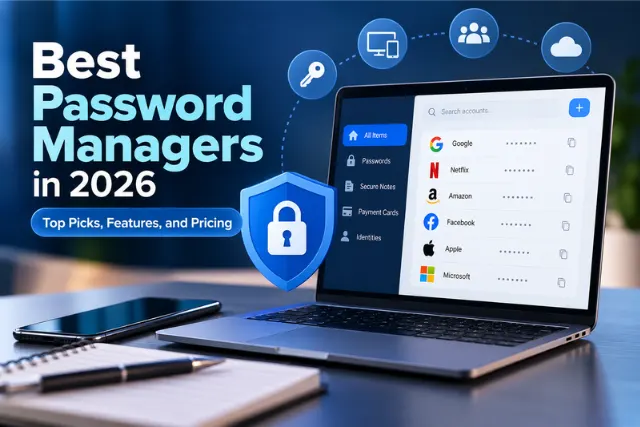
The best password managers in 2026 include Bitwarden for overall value, 1Password for families, Dashlane for personal use, Proton Pass for privacy-focused users, and Keeper for small businesses. NordPass is a good option for managing passwords across multiple devices, while Apple Passwords suits users within the Apple ecosystem. The right choice depends on your security needs, device compatibility, sharing requirements, and budget. Before subscribing, compare each provider’s current features, pricing, and security practices.
You’ve heard this hundreds of times, don’t reuse passwords. However, it would be quite an impossible feat to come up with a unique, strong password for hundreds of sites and services. That’s where the best password manager makes all the difference.
It can remember all of your passwords, auto-fill the fields when needed, generate very complex passwords and best of all, only a single master password to remember.
A good password manager stores all your passwords securely, generates new ones for you, works on all your computers and phones and makes managing strong passwords easy for everyone. Choosing the right fit depends whether you want a password manager for yourself only or together with the family, a small work team or your whole organization.
Find the breakdown of some of the best password managers of 2026 including the features, cons, and pricing that would best suit your needs:
Best Password Managers in 2026 at a Glance
| Password Manager | Best For | Free Plan |
| Bitwarden | Best overall and open source | Yes |
| 1Password | Best for families | No |
| Dashlane | Best for personal use | Limited |
| Proton Pass | Best for security-focused users | Yes |
| Keeper | Best for small business | No |
| NordPass | Best for multiple devices | Limited |
| Apple Passwords | Best for Apple users | Yes |
Pricing and features change frequently. Verify current details on each vendor’s official website before subscribing.
How ProTechMagazine Evaluates Password Managers
We judge password managers based on security framework, authentication methods, devices they’re available on, usability, password-sharing options, passkey support, cost, and the vendor’s publicized security. Vendor features and prices are verified prior to publication using data readily available from each supplier’s website.
The Best Password Managers in 2026
1. Bitwarden – Best Overall and Open Source
- Best for: Users who want strong security, cross-platform support, and transparency at a reasonable price.
- What it does: Stores passwords, generates strong ones, autofills across devices, and offers secure sharing. Its code is open source, meaning independent researchers can review it.
- Security: Uses end-to-end encryption with a zero-knowledge model, meaning the company can’t see your stored passwords. Open-source code allows community auditing, though open source alone doesn’t automatically make software safer. It’s the combination of open code plus documented security practices that matters.
- Platforms: Windows, Mac, Linux, iOS, Android, and all major browsers.
- Pros: Generous free tier. Affordable premium plan. Works everywhere. Transparent security model.
- Cons: Interface feels more functional than polished. Self-hosting requires technical skill.
- Who should skip it: Users who prioritize a highly polished, consumer-friendly design over value and transparency.
- Pricing: Free plan available. Paid individual and family plans vary by features. Check Bitwarden’s current pricing before subscribing.
- Our verdict: The best all-around choice for most people. Strong security, works on everything, and the free tier is genuinely useful.
2. 1Password – Best for Families
- Best for: Families and households that need shared vaults with individual privacy.
- What it does: Stores and organizes passwords with separate personal and shared vaults. Family members get their own accounts while sharing selected credentials.
- Security: Uses a strong encryption model combined with a secret key in addition to your master password. This adds a layer of protection if your master password is ever compromised.
- Platforms: Windows, Mac, Linux, iOS, Android, and browser extensions.
- Pros: Polished, easy-to-use interface. Excellent family sharing. Strong security architecture. Good passkey support.
- Cons: No free plan (trial only). Costs more than some competitors.
- Who should skip it: Budget-conscious individuals who don’t need family sharing and prefer a free option.
- Pricing: Paid individual and family plans vary by features. Check 1Password’s current pricing before subscribing.
- Our verdict: The best choice for families who want shared credentials plus individual privacy, wrapped in an interface anyone can use.
3. Dashlane – Best for Personal Use
- Best for: Individuals who want a smooth, feature-rich experience with strong autofill.
- What it does: Manages passwords with reliable autofill, password generation, and breach monitoring that alerts you if your credentials appear in a known data breach.
- Security: Uses zero-knowledge encryption. Includes dark web monitoring and security alerts as part of its feature set.
- Platforms: Windows, Mac, iOS, Android, and browsers. Primarily browser and app focused.
- Pros: Excellent autofill. Clean interface. Built-in breach monitoring. Good passkey support.
- Cons: Free plan is quite limited. Higher price point than some alternatives.
- Who should skip it: Users who need a robust free plan or Linux desktop support.
- Pricing: Limited free plan available. Paid plans vary by features. Check Dashlane’s current pricing before subscribing.
- Our verdict: A strong pick for individuals who want polish and helpful security extras and don’t mind paying for them.
4. Proton Pass – Best for Security-Focused Users
- Best for: Privacy-conscious users who want strong encryption from a security-focused company.
- What it does: Stores passwords with end-to-end encryption and offers email aliasing, which lets you hide your real email address when signing up for services.
- Security: Built by the team behind Proton Mail, with a strong focus on privacy and zero-knowledge encryption. Email aliasing adds a privacy layer that reduces exposure of your real address.
- Platforms: Windows, Mac, Linux, iOS, Android, and browsers.
- Pros: Strong privacy focus. Useful email aliasing. Free plan available. Passkey support.
- Cons: Newer than some competitors, so a shorter track record. Some advanced features are still maturing.
- Who should skip it: Users who want the longest possible track record or the most extensive business admin tools.
- Pricing: Free plan available. Paid plans vary by features. Check Proton’s current pricing before subscribing.
- Our verdict: A great choice for privacy-minded users, especially those already using other Proton services.
5. Keeper – Best for Small Business
- Best for: Small businesses that need shared credentials, admin controls, and audit visibility.
- What it does: Provides business-grade password management with admin dashboards, role-based access, shared team folders, and activity logs.
- Security: Uses zero-knowledge encryption with granular admin controls. Offers audit logs so administrators can track credential access, which matters for business password security.
- Platforms: Windows, Mac, Linux, iOS, Android, and browsers.
- Pros: Strong admin controls. Good audit logging. Scales from small teams to larger organizations. Employee onboarding and offboarding features.
- Cons: More complex to set up than personal tools. No free business tier.
- Who should skip it: Individual users who don’t need business administration features.
- Pricing: Paid personal and business plans vary by users and features. Check Keeper’s current pricing before subscribing.
- Our verdict: A solid business choice when you need to manage employee access, shared credentials, and audit trails.
6. NordPass – Best for Multiple Devices
- Best for: Users who switch between many devices and want seamless synchronization.
- What it does: Syncs passwords across devices with a clean interface, autofill, and password health checks.
- Security: Uses modern encryption architecture. Includes a data breach scanner and password health reports.
- Platforms: Windows, Mac, Linux, iOS, Android, and browsers.
- Pros: Smooth cross-device sync. Clean, modern interface. Good password health tools.
- Cons: Free plan limits active sessions across devices. Some features require the paid tier.
- Who should skip it: Users who need a fully unrestricted free plan across unlimited devices.
- Pricing: Limited free plan available. Paid plans vary by features. Check NordPass’s current pricing before subscribing.
- Our verdict: Worth considering if you juggle many devices and want a modern, easy-to-use experience.
7. Apple Passwords – Best for Apple Users
- Best for: People fully inside the Apple ecosystem who want built-in convenience at no extra cost.
- What it does: Apple’s built-in password management stores credentials, autofills them, and syncs across Apple devices. In 2026 it will work as a standalone app across iPhone, iPad, and Mac.
- Security: Uses strong encryption tied to your Apple account and device security. Syncs securely across your Apple devices.
- Platforms: iPhone, iPad, Mac, and limited support on Windows through the browser extension.
- Pros: Free and built in. Seamless on Apple devices. Good passkey support. No separate app to install on Apple hardware.
- Cons: Limited outside the Apple ecosystem. Fewer sharing and business features than dedicated managers.
- Who should skip it: Anyone using Windows, Android, or Linux alongside Apple devices, or those needing family or business features.
- Pricing: Free with your Apple devices.
- Our verdict: Excellent for Apple-only households. Less ideal if you mix platforms.
Which Password Manager Should You Choose?
Match the tool to your situation:
- Want the best all-around option? Bitwarden.
- Need family sharing? 1Password.
- Want a polished personal experience? Dashlane.
- Prioritize privacy? Proton Pass.
- Running a small business? Keeper.
- Juggling many devices? NordPass.
- All-in on Apple? Apple Passwords.
Start with the option that fits how you actually manage passwords, not the one with the longest feature list.
Are Free Password Managers Good Enough?
For most users, yes. If you are an individual and just want safe storing of your passwords, generating unique passwords, and autofilling on your devices then a free password manager is sufficient.
If you want to share with your family, control for businesses, breach detection, and much more, then it will be worth paying. As for alternatives for Bitwarden and Proton Pass they both have extremely decent free tiers.
One last point that you might want to consider: it doesn’t mean free has weak security, and it doesn’t mean that a paid manager has strong security.
Password Manager vs. Browser Password Storage
Your browser can save passwords too. So do you actually need a dedicated app? If you regularly access accounts while travelling, following these tips to protect a mobile device while traveling can help you manage your digital security more carefully.
| Feature | Browser Storage | Dedicated Manager |
| Password storage | Yes | Yes |
| Autofill | Yes | Yes |
| Cross-browser support | Limited | Yes |
| Secure sharing | Limited | Yes |
| Breach monitoring | Limited | Often yes |
| Business controls | No | Yes |
Browser storage works fine for casual use within one browser. A dedicated manager wins if you use multiple browsers, want to share passwords securely, need business features, or want breach monitoring and stronger controls.
Password Managers and Passkeys
Passkeys are a more recent, passwordless way of signing in. Instead of entering a password, you can authenticate yourself with a biometric on your device or a PIN. The FIDO Alliance’s guide to passkeys explains how this authentication method works and helps readers understand its benefits.
Most importantly,password managers that exist today don’t compete with the technology of passkeys, and many existing password managers can actually be used to store and manage the passkeys, serving a dual purpose by managing traditional passwords and new passkeys for users.
In a situation where most websites eventually provide passkey login capabilities, managing them under one interface will likely prove essential.
How Secure Are Password Managers?
While most recommended password manager companies are known to use robust encryption and a zero-knowledge policy, the company has no access to read your stored passwords. Understanding the relationship between cybersecurity and artificial intelligence can also help businesses evaluate emerging security risks. This ensures that any data you save is encrypted on the way out of your device and only decipherable with your password manager master password.
However, no software system is risk-free. In case the company is breached, they could be the possessors of encrypted vaults without a way to access anything within them if your master password is secure and your passwords stored within them are well generated. Other main risks included are often weak master passwords, getting phishing’d, and reusing your master password somewhere else.
This is why your master password is so important. Ensure that it is long, unique, and never previously used anywhere. The NIST Digital Identity Guidelines also provide recommendations on passwords and authentication security. Furthermore, ensure you’ve got multi-factor authentication set up on that password manager account.
What to Look for in a Password Manager?
Before choosing, check for:
Strong encryption and a zero-knowledge model. Independent security audits. Multi-factor authentication support. Passkey support. Reliable autofill. Support for all your devices. Secure sharing if you need it. Breach monitoring. Clear account recovery options. Transparent security practices. Reasonable pricing for your situation.
Common Password Manager Mistakes to Avoid
Choosing based only on price instead of security and fit. Using a weak or reused master password. Skipping multi-factor authentication. Picking a manager that doesn’t support all your devices. Sharing your master password insecurely. Ignoring account recovery setup. Assuming every manager has the same security model. Never auditing old, weak, or reused passwords.
Most problems come from how the tool is used, not the tool itself.
Do You Really Need a Password Manager?
You should seriously consider one if you reuse passwords, have dozens of online accounts, use multiple devices, manage family credentials, or handle business accounts.
You might not need a separate one if your existing platform already provides password management that meets your needs and your requirements are very simple. For most people with many accounts, though, a dedicated manager reduces real risk.
Final Verdict
So, in brief:
Overall: Bitwarden Family: 1Password Personal: Dashlane Security/Privacy: Proton Pass Small Business: Keeper Multi-Device: NordPass Apple Users: Apple Passwords
The optimal password manager won’t be the one with the most functions, but rather the one that provides the best security, stable cross-device access, and a set of functionality appropriate to your own management practices.
Just make a decision, create a robust master password and multi-factor authentication, then transfer across your accounts, because your future self will be grateful when your website accounts report yet another data breach.
Frequently Asked Questions
What is the best password manager?
There’s no single best for everyone. Bitwarden is the strongest all-around choice for most users thanks to its security, cross-platform support, and value. The right pick depends on whether you prioritize free access, family sharing, business features, or privacy.
What is the best free password manager?
Bitwarden and Proton Pass both offer strong free plans with genuine value. Free plans usually limit some features, so check the restrictions before deciding.
What is the best password manager for families?
1Password stands out for families with its shared vaults, individual accounts, and easy-to-use interface that works for all ages.
What is the best password manager for a small business?
Keeper offers strong admin controls, audit logs, and shared credential management that suit small businesses managing employee access.
Is a password manager secure?
Reputable managers use strong encryption and zero-knowledge models, so the company can’t read your passwords. Your security still depends on a strong master password and multi-factor authentication. You can also explore these methods to protect data on a mobile device when accessing accounts across different devices.
Are free password managers safe?
Yes, when they use strong encryption and a solid security model. Free doesn’t mean less secure. Check the tool’s security practices rather than assuming price equals safety.
Do password managers support passkeys?
Many modern password managers now store and manage passkeys alongside traditional passwords, giving you one place to handle both.
Disclaimer
This article is intended for informational purposes only and does not constitute professional cybersecurity advice. Password manager features, pricing, and subscription terms may change over time. Security capabilities vary by provider and plan, and no password manager can guarantee complete protection against every threat. Review each provider’s official security documentation, privacy policy, and current pricing before choosing a service. Always use a strong, unique master password and enable multi-factor authentication where available.