

Written by the ProTechMagazine Content Team | Reviewed by Jagdish Bhatt, Marketing Expert, protechmagazine.com | Last updated: July 2026
Quick Answer:
You see a purple message bubble Instagram chat and want to know why. Then don’t worry, thousands of users type in questions like ‘why are my instagram messages purple,’ ‘instagram purple chat bubble,’ and ‘purple instagram dms’ each month. You’re right when you said purple instagram messages are usually something that shouldn’t worry people.
The color change is connected to the chat theme & messaging customization features and isn’t anything with your instagram account.
We show you why Instagram’s messages are turning purple, how to change Instagram DM colours, and what the different chat themes actually mean. If you’re interested in learning more about Instagram and other social media updates, it’s also worth keeping up with the latest TikTok feature and policy changes that affect millions of users.
What is the Purple Message Bubble on Instagram?
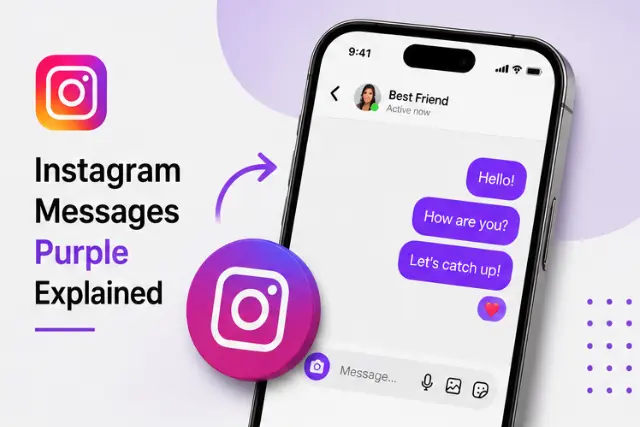
That purple message bubble Instagram that is displayed in Direct messages, most of the time can be because of customization settings of the chat theme program on Instagram.
Most Instagram users use this chat customization option on the app in order to change the color of the DMs and add themes to them. Depending on what theme and color the user sets on the DMs then you will often get purple chat bubbles, blue chat bubbles,a pink or Gradient Chat bubble in the app.
So if you’re asking:
- Why are my Instagram messages purple?
- Why is my Instagram chat purple?
- Why are my Instagram DMs purple?
The answer is simple: a chat theme has likely been applied to the conversation.
Why Are My Instagram Messages Purple?
Purple message bubbles usually appear because of Instagram’s chat customization features rather than an account issue. The reasons below explain why the color may have changed and what you can do if you want to switch back. There are several reasons why Instagram messages turn purple:
1. Instagram Chat Theme Is Enabled
The most common reason is that you or the other participant changed the chat theme.
Instagram includes multiple themes that automatically change message colors. Purple is one of the most popular options because it gives conversations a modern and vibrant appearance.
2. Instagram Updated Its Messaging Features
Instagram regularly updates its messaging experience. After certain updates, users may notice Instagram purple messages or new color gradients in their chats. Like many other social platforms, new features and interface changes are rolled out gradually before becoming available to everyone. Similar platform updates have also affected users wondering whether CapCut is getting banned with TikTok and how app changes impact existing features.
3. Theme Changes Affect Both Users
When one person changes the theme of an Instagram conversation, both participants usually see the updated colors. That’s why your Instagram chat purple appearance may change even if you didn’t adjust any settings yourself.
How to Make Instagram Messages Purple
If you enjoy customizing your chats, Instagram lets you choose from several themes and color combinations. Changing to a purple theme only takes a few taps. If you like the look of purple Instagram DMs, you can manually change the chat theme.
Steps to Make Instagram Messages Purple
- Open Instagram.
- Go to Direct Messages.
- Open the conversation you want to customize.
- Tap the person’s name at the top.
- Select “Theme.”
- Choose a purple-themed option or a color gradient containing purple.
- Save the changes.
Once applied, your Instagram purple chat bubble will appear throughout that conversation.
How to Change Instagram DM Color Back
You can change your chat color at any time without affecting your messages or conversation history. Simply select a different theme or return to the default appearance. If you no longer want purple messages on Instagram, you can easily switch to another theme.
To Change Instagram Message Color:
- Open the conversation.
- Tap the profile name.
- Select Theme.
- Choose another color or default theme.
- Exit settings.
The new color will instantly update for both participants.
Do Purple Instagram Messages Mean Someone Took a Screenshot?
No.
Many users searching for Instagram screenshot alert or purple Instagram messages worry that the color indicates screenshots or message tracking.
Instagram does not use purple chat bubbles to indicate screenshots.
The only screenshot notifications Instagram has historically provided were for disappearing photos and videos sent through specific chat features.
Purple message bubbles are simply a visual customization feature.
Are Purple Instagram DMs More Private?
Not necessarily.
A common misconception is that purple Instagram messages automatically mean extra privacy or encryption.
The color itself does not determine message security. Instagram’s privacy and encryption features operate separately from chat themes. If you’re concerned about protecting your personal information while using social media apps, it’s also helpful to learn how to protect data on a mobile device.
A purple chat bubble is primarily a design choice rather than a privacy indicator.
Common Reasons Instagram Chats Turn Purple
If your chat color changed unexpectedly, one of the following situations is usually responsible. Most changes are completely normal and don’t indicate a problem with your account.
Here are the most common explanations:
- A purple chat theme was selected.
- Instagram updated its messaging interface.
- Another participant changed the conversation theme.
- A gradient theme containing purple was activated.
- Instagram is testing new visual features in your region.
Interface updates and visual changes are common across mobile apps. Understanding how these updates work can make it easier to recognize new features instead of mistaking them for account problems.
Purple Instagram Messages vs Blue Instagram Messages
| Purple Messages | Blue Messages |
|---|---|
| Custom chat theme | Default or different theme |
| Cosmetic change | Cosmetic change |
| No effect on privacy | No effect on privacy |
| No screenshot alert | No screenshot alert |
| Can be changed anytime | Can be changed anytime |
Users often compare:
- Instagram purple messages
- Instagram blue chat
- Instagram DM color change
The difference is usually cosmetic. Different themes create different color schemes, while the core messaging functionality remains the same. To explore all available chat themes and messaging features, you can also refer to the official Instagram Messaging Help documentation.
Final Thoughts
If you’ve had no clue as to why your Instagram DMs have become purple, it’s normally for a very basic reason: a tweak in the Instagram chat themes has switched how your message box appears.
Whether they’re known as purple Instagram messages, Instagram DM purple messages, or purple messages on Instagram chat boxes, they’re normally visualisations – not danger notifications, privacy precautions or any sort of account warnings. Whether your profile is designed for visual-enhanced Chats to stand out or simply for more personalized messages on the ‘Gram, purple chat themes may tickle your fancy.
Want to personalize your Instagram conversations even more? Explore Instagram’s chat themes, emoji reactions, vanish mode, and DM customization settings to make your chats uniquely yours. Along with chat themes, keeping your mobile device secure helps protect your conversations and personal data. Here are some practical tips on protecting a mobile device while traveling.
Frequently Asked Questions
Why are my Instagram messages purple?
Your Instagram messages are usually purple because a chat theme has been applied to the conversation.
How do I make my Instagram messages purple?
Open the chat, tap the user’s name, select Theme, and choose a purple-colored theme.
Why did my Instagram DMs suddenly turn purple?
Instagram updates or theme changes made by either participant can cause conversations to appear purple.
Do purple Instagram messages mean someone screenshotted my chat?
No. Purple message bubbles are not screenshot alerts.
Are purple Instagram DMs encrypted?
The color itself does not indicate encryption. Message security features operate separately from chat theme colors.