

Written by the ProTechMagazine Editorial Team | Reviewed by Jagdish Bhatt, Digital Marketing Expert, protechmagazine.com | Last updated: October 2026
Quick Answer
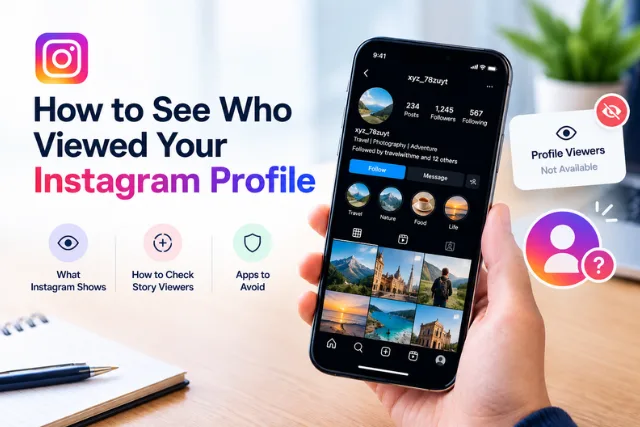
If you’re searching for how to see who viewed your instagram profile, the simple answer is that Instagram does not normally show a list of people who visit your profile. You can see who viewed your Instagram Stories while viewer information is available, along with likes, comments, follows, and other interactions. Professional accounts may also access aggregate profile insights, but these do not reveal the names of individual profile visitors. Be cautious of third-party apps claiming to show exactly who viewed your profile, especially if they ask for your Instagram password.
Here is the simple answer: Instagram does not give regular users a list showing exactly who visited their profile.
You can see certain types of activity, including who viewed your Instagram Stories and who interacted with your posts, Reels, or other content. Instagram also has other features worth understanding, such as why Instagram messages appear purple. But simply opening your Instagram profile is not the same as following, liking, commenting, or viewing a Story.
That distinction is important because plenty of websites and apps claim they can reveal your Instagram profile visitors. Many of them cannot actually provide the information they promise.
Can You See Who Viewed Your Instagram Profile?
No, typically Instagram won’t reveal a list of the visitors to your profile one by one.
You could visit your profile on Instagram and will be able to see the number of followers, following list, posts, reels, tagged posts, and publicly available information based on the profile setting.
But Instagram never had a “profile visitors” list that shows the number of visitors to your profile.
This is different from Instagram Stories.
If you upload a Story, Instagram can provide you the list of accounts that saw that particular story while viewers’ data was visible.
That’s you are not seeing who visited your profile, but who viewed the story.
What Can You Actually See on Instagram?
Although there is no standard profile visitor list, Instagram does give you several ways to understand how people interact with your content.
Depending on the feature and your account type, you may be able to see:
- Story viewers
- Likes on posts
- Comments
- Shares
- Saves
- Follows
- Replies and other interactions
- Insights and aggregate account or content metrics for eligible professional accounts
These signals can tell you how people are engaging with your content, but they should not be treated as a complete record of everyone who looked at your profile.
For example, someone could open your profile, look at your bio and Instagram profile picture, and leave without liking anything. You would not necessarily know that they visited.
How Do You Check Who Viewed Your Instagram Story?
If your goal is to find out who has seen your content, Stories provide one of the clearest options.
To check Story viewers:
- Open Instagram.
- Tap your active Story.
- Swipe up or tap the viewer information, depending on the current app interface.
- Review the accounts shown as Story viewers.
The exact interface can change as Instagram updates its app, but the basic idea remains the same.
Remember, though, that a Story view is not proof that someone visited your Instagram profile.
Someone may have seen your Story directly from their feed without spending time browsing your profile.
What About Instagram Profile Views?
You may have seen the phrase Instagram profile views in articles, apps, or analytics tools.
This can be confusing because Instagram can provide certain account-level insights for professional accounts, but an aggregate number of profile visits is not the same thing as a list of individual visitors.
For example, an analytics feature might tell an eligible professional account that its profile received a certain number of visits during a period. That does not necessarily mean the account owner can open the number and see the names of everyone who visited.
Think of it this way:
Profile visit count: How many times people visited.
Profile visitor list: The specific accounts that visited.
Those are two very different things.
Can Instagram Business or Creator Accounts See Profile Visitors?
Professional Instagram accounts can access additional analytics and insights compared with ordinary personal accounts.
These tools can help creators and businesses understand how their content is performing and how people are discovering their accounts.
However, having a professional account does not mean you automatically get a complete list of individual people who viewed your profile.
This is an important distinction for anyone researching an Instagram profile viewer or trying to identify individual visitors.
If a third-party service claims that switching account types will reveal a secret list of profile visitors, be cautious.
Do Third-Party Instagram Profile Viewer Apps Really Work?
This is where you should be especially careful.
You may come across apps or websites promising to show exactly who viewed your Instagram profile. Some may ask you to enter your Instagram username and password, connect your account, or pay for a subscription.
There is no reason to give an unknown service your login credentials simply because it claims to unlock information Instagram itself does not normally show you.
Potential concerns include:
- Account security
- Phishing attempts
- Unwanted access
- Spam
- Misleading information
- Unauthorized account activity
- Requests for unnecessary personal information
If an app promises a feature that Instagram does not provide, treat the claim skeptically.
Never share your Instagram password with an unfamiliar website just to find out who looked at your profile.
Following these mobile device security tips while traveling can also help you protect your personal information when using unfamiliar networks.
Can You Tell If Someone Keeps Checking Your Instagram Profile?
Not reliably.
You may notice clues. Someone might suddenly follow you, like several posts, comment on your content, or watch your Stories regularly.
Those actions can show that the person is interacting with your account.
But they do not prove that the person repeatedly visited your profile.
For example, if someone likes three of your older posts, you might reasonably assume they looked through your content. Still, Instagram does not give you a report saying, “This person visited your profile five times.”
It is better to separate what you can actually see from what you are guessing based on someone’s activity.
What About Instagram Profile Pictures?
Searching for Instagram profile pictures is another common reason people end up looking for profile-viewing tools.
You can normally see another user’s profile picture when visiting their account, subject to Instagram’s current interface, account settings, and availability of the content.
However, viewing someone’s Instagram profile picture does not notify that person simply because you opened the profile picture or looked at their profile.
That is different from interacting with their content.
For example, liking a post creates an interaction that the account owner can see. Simply looking at their profile does not create the same visible notification.
How Can You Check Your Own Instagram Profile?
If you are simply trying to find my profile on Instagram, you can open your profile from the Instagram app or website.
On the Instagram app, tap your profile picture in the navigation area to open your account.
Your profile page generally contains information such as:
- Profile picture
- Username
- Bio
- Followers
- Following
- Posts
- Reels
- Tagged content
- Other account-specific features
The exact layout can change as Instagram updates its interface.
If you use Instagram on a computer, you can also access your account through Instagram’s website and navigate to your profile.
Is There a Way to Know Who Is Interested in Your Instagram?
You cannot reliably identify everyone who is interested in your account simply by checking profile visits.
However, engagement can give you useful clues.
Someone who regularly:
- Watches your Stories
- Likes your posts
- Comments on your content
- Shares your posts
- Sends replies or messages
- Follows your account
is visibly interacting with your Instagram presence.
For creators and businesses, these interactions are often more useful than knowing who silently viewed a profile.
If your goal is to understand whether your content is reaching people, look at meaningful engagement rather than trying to uncover a hidden visitor list.
Why Does Instagram Not Show a Profile Visitor List?
The details and privacy decisions that the app makes can evolve, so don’t assume one feature will be permanent. But from a user point of view, the bottom line is that if your profile visits are public, you don’t get a list of who’s been there, one name at a time.
So don’t trust sites claiming to have a secret Instagram profile viewer that can see everyone who’s visited you.
And if Instagram introduces another feature in future, look for the latest version of the app rather than an old article or an unknown third-party app.
What Should You Do If an App Claims to Show Your Profile Visitors?
Before connecting your account to an outside service, stop and check what it is actually asking for.
A few basic safety rules can help:
Do not share your password
An unfamiliar service should not need your Instagram password simply to tell you who supposedly viewed your profile.
Check what permissions you are granting
If a service asks for access to your account, read the permission request carefully. You can also improve account security by following the FTC’s advice on using two-factor authentication to protect your accounts.
Avoid suspicious downloads
Be particularly cautious with apps or files from unknown websites.
Do not trust screenshots as proof
A website can show a convincing-looking list of names without having access to genuine Instagram profile visitor data.
Use Instagram’s own privacy and security settings
If you are concerned about who can see your content, controlling your account’s privacy and learning how to protect data on a mobile device can help you improve your overall digital security.
Can You See Who Viewed Your Instagram Profile From a Private Account?
Making your account private changes who can access your content, but it does not create a profile visitor list.
A private account can give you greater control over who follows you and who can see your posts and other content covered by your privacy settings.
But being private does not mean Instagram will show you the names of everyone who opens your profile.
If privacy is your main concern, review your follower list and account privacy settings regularly.
What Is the Best Way to Understand Instagram Profile Activity?
If you are using Instagram casually, focus on the interactions that Instagram actually makes visible.
If you run a creator or business account, use the available analytics to understand broader patterns such as content performance and audience engagement.
Instead of asking only, “Who viewed my profile?” consider questions such as:
- Which posts are getting the most engagement?
- Which Reels are reaching new people?
- Are people responding to my Stories?
- Are followers interacting with my content?
- Which content brings people to my account?
- Is my audience growing?
These questions give you information you can actually use.
The Bottom Line
If you are asking yourself: How do I see who viewed my Instagram profile? The short answer is that Instagram does not normally show you a list of individual visitors to your profile. You do see some interactions such as what viewers came to your Stories, or interacted with your other content.
And if you are a business or creator account you do see some aggregate insights.
But this isn’t the same as a complete list of everyone who silently visited your profile. So, be wary of using third-party Instagram profile viewer apps that seem to offer you more than Instagram naturally does. If a service tells you they can show you something that Instagram naturally can’t, be very cautious about sharing your login information. The safest thing for most people is to just stick with Instagram’s own tools, check your privacy controls, and focus on authentic engagement rather than trying to track visitors.
Frequently Asked Questions
Can I see who viewed my Instagram?
No. Facebook (Instagram is owned by Facebook) doesn’t usually list out names of people who visited your profile.
Does Instagram show who viewed your profile?
Instagram can show viewers for certain items like Stories, but not for everyone who opened your profile. A Story viewer list is not the same as a profile visitors list.
Can people tell if you viewed their Instagram?
Just visiting someone’s profile usually does not tell them who was the profile viewer.
However, liking their post or viewing a Story with viewer information may let them know.
Do apps for viewing Instagram profiles work?
Beware. Apps claiming to provide a comprehensive list of who viewed your profile may not actually have the information they claim to have.
Don’t provide your password or information to an untrusted service.
Can a business account see who viewed their profile?
Business accounts gain access to additional information about their account usage, but this does not include the name of each user who viewed their account.
How can I see who viewed my Instagram Story?
You can open your Stories when they are active and tap the “eye” icon in the lower left corner to see which accounts viewed that Post. Instagram will show accounts that viewed that Post while it was available to see.
How to search for your account on Instagram?
Tap your profile icon from the menu bar at the bottom of the screen (on an Android device, it’s in the upper right corner).
Once you’re on your profile, tap the “Search for people you know” bar at the top.
Does anyone know if you view their profile picture?
Just viewing a profile picture or visiting someone’s profile usually does not tell them who was the profile viewer.
Disclaimer:
This article is for informational purposes only. Instagram features, privacy settings, and account insights may change over time. The visibility of Story viewers and analytics may vary depending on the feature and account type. Always check Instagram’s official Help Center for the latest information, and avoid sharing your login credentials with unverified third-party apps or websites.